Table of Contents
configure menu
With this feature you can define a multi-level hierarchical menu and assign existing transaction to the leaf-items of the menu. When a user gets access (via his group membership) to a transaction, that is configured in the menu, then the path to transaction becomes visible to the user. You can grant access only to transactions not to menu items directly.
- add/edit a record → enter valid values for fields listed below
configure menu nodes
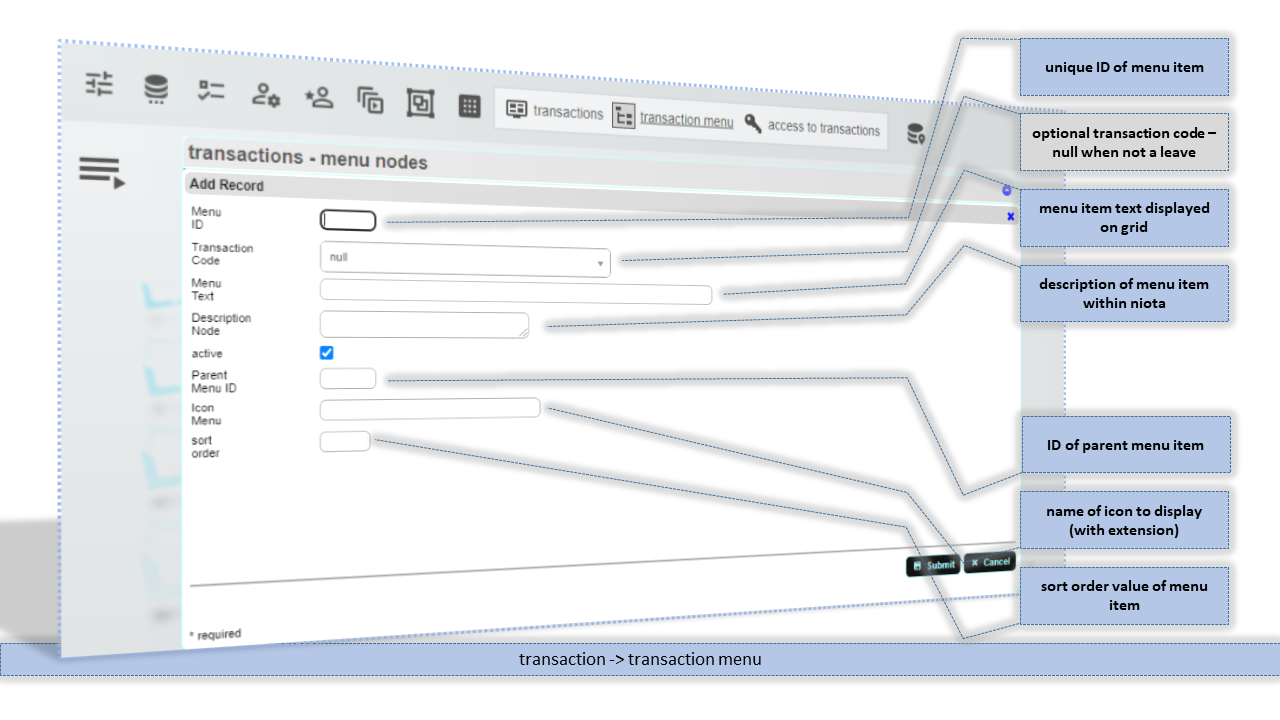
Menu ID
Unique ID (textual value) for this menu item.
Transaction Code
ID of a transaction to be called on click of this item. Not available on node-level.
Menu Text
Text for this menu item that is visible to the user.
Description Node
Description of this menu item/node item.
Parent Menu ID
ID of the parent menu ID for this node.
Icon Menu
Name of the icon file to be displayed for this menu item.
sort order
Sort order value to configure the order of appearance.
====
configure menu leafs
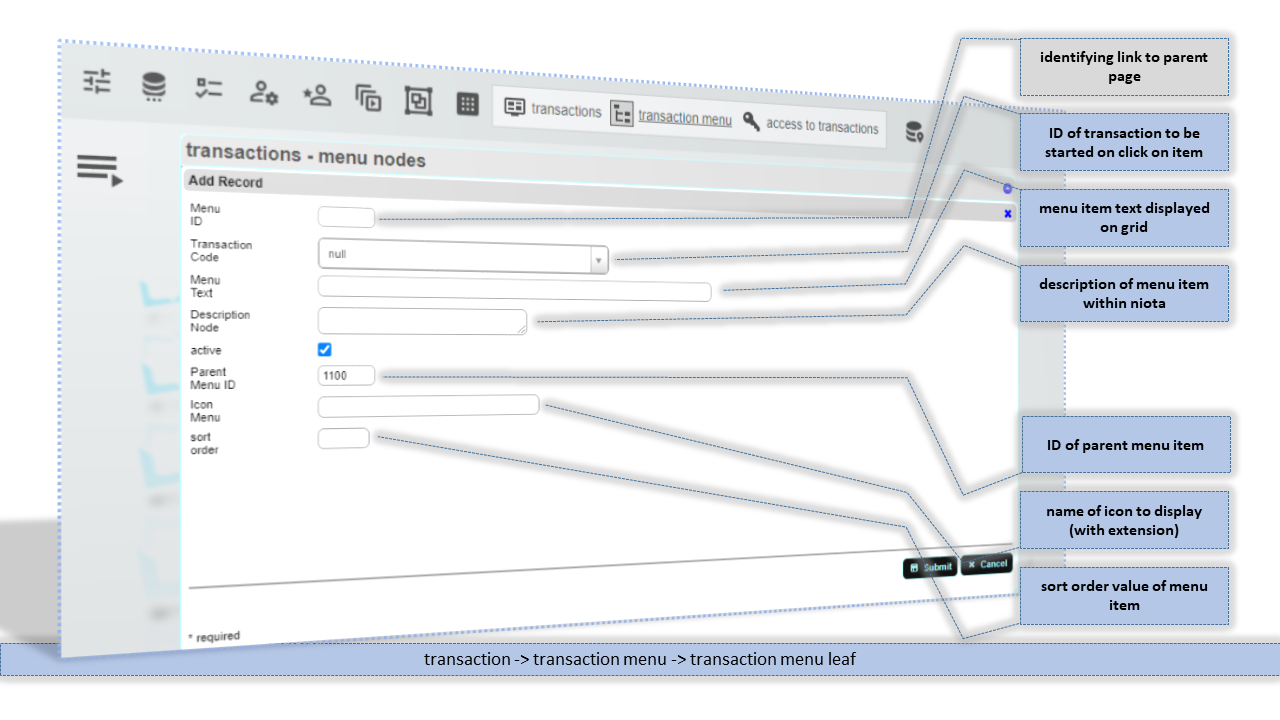
Menu ID
Unique ID (textual value) for this menu item.
Transaction Code
ID of a transaction to be called on click of this item.
Menu Text
Text for this menu item that is visible to the user.
Description Node
Description of this menu item/node item.
Parent Menu ID
ID of the parent menu ID for this node.
Icon Menu
Name of the icon file to be displayed for this menu item.
sort order
Sort order value to configure the order of appearance.