Table of Contents
configure userspecific parameter
With this feature you can edit very specific user interface parameter that influences the look and feel of niota for the given user. Usually the parameters are set by the application.
- add/edit a record → enter valid values for fields listed below
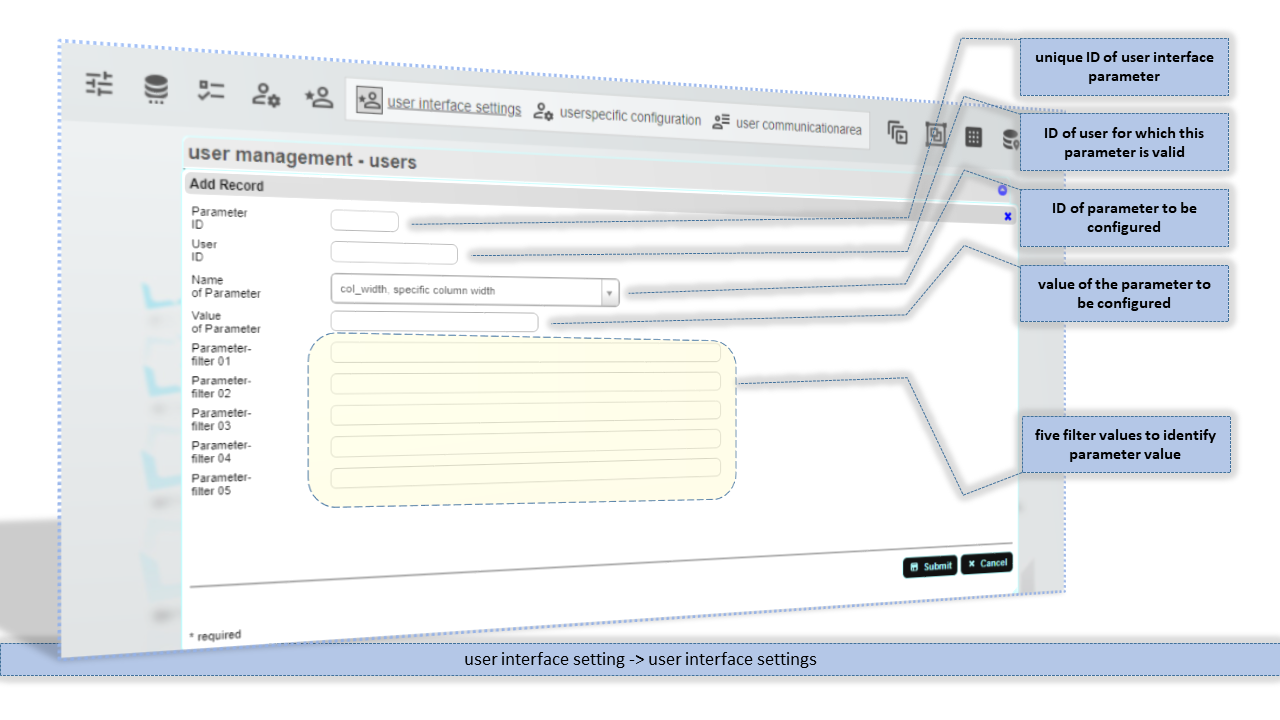
Parameter ID
Unique internal ID of user interface parameter. Value is set by database sequence feature.
User ID
ID of user account for which this interface parameters are applied.
Name of Parameter
ID/Name of the user interface parameter. Choose from dropdown list.
Value of Parameter
Value of this user interface parameter. Be careful if you set a parameter value manually. It must fit in type AND value.
Parameter-filter 01 / ... 05
Five filter values that identify the user interface parameter uniquely.