
User Tools
Sidebar
niota-docs:niota_grid_config_callable
This is an old revision of the document!
Table of Contents
configure callable object
With this feature you can configure an existing stored procedure or SQL script or SQL command or web service to become available as callable object. Callable objects are linked to catalog objects on table level or record level.
- add/edit a record → enter valid values for fields listed below
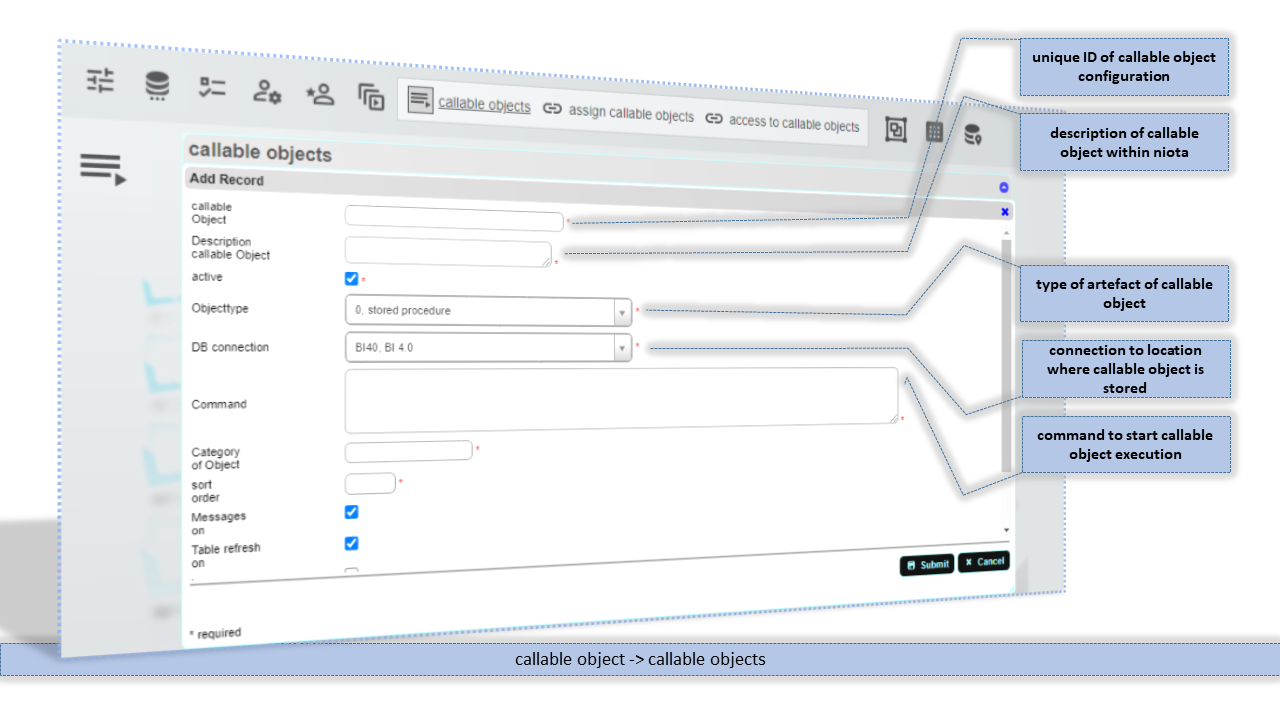
callable Object
Unique ID for this callable object configuration entry.
Description callable Object
Description for this callable object configuration entry.
Objecttype
Type of the callable object. Depending on the type the location, where the callable object is stored physically is set. Stored procecedures have to be in database where the selected connections point to. Web-Service calls and SQL scripts have to be located on the file system of the server where niota is installed.
DB connection
Connection where the stored procedure can be found or where the connection is established in case of SQL script / SQL command.
Command
Commandstring in case of a SQL based callable object (stored procedure or SQL command) or filename of the script file in case of file based callable object (web-service call / SQL script file)
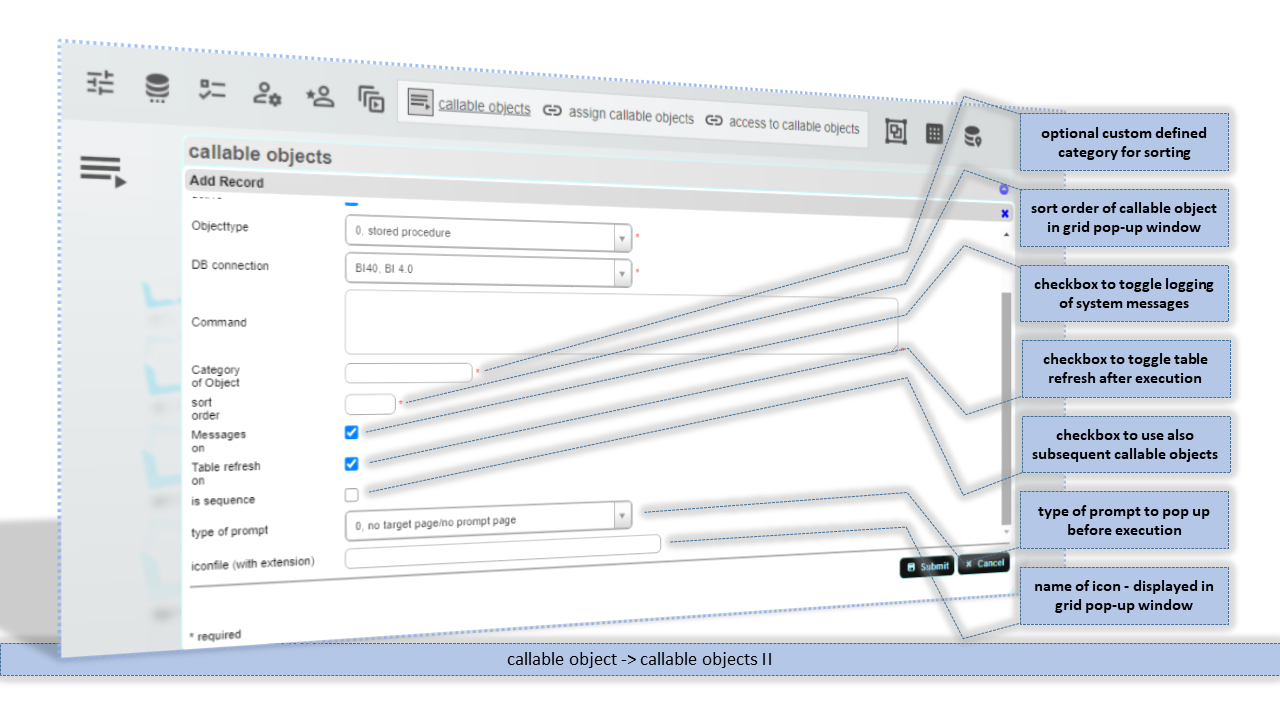
Category of Object
Customer defined category for this configuration entry. No further check on this value.
sort order
Sort order for the order of display in the callable object pop-up window.
Messages on
Checkbox to toggle message display on. When messages is on, then the messages whicht are written by the callable object into the message table set in the connection configuration are displayed. If messages is off, then no messages are displayed to the user.
Table refresh on
Checkbox to force a refresh of the table after execution of callable object.
type of prompt
Type of pop-up window/prompt window that appears before callable object is executed. Actually only file upload is available.
iconfile
Name of the iconfile (with file extension) that should displayed in the callable object pop-up window.
callable object sequence members
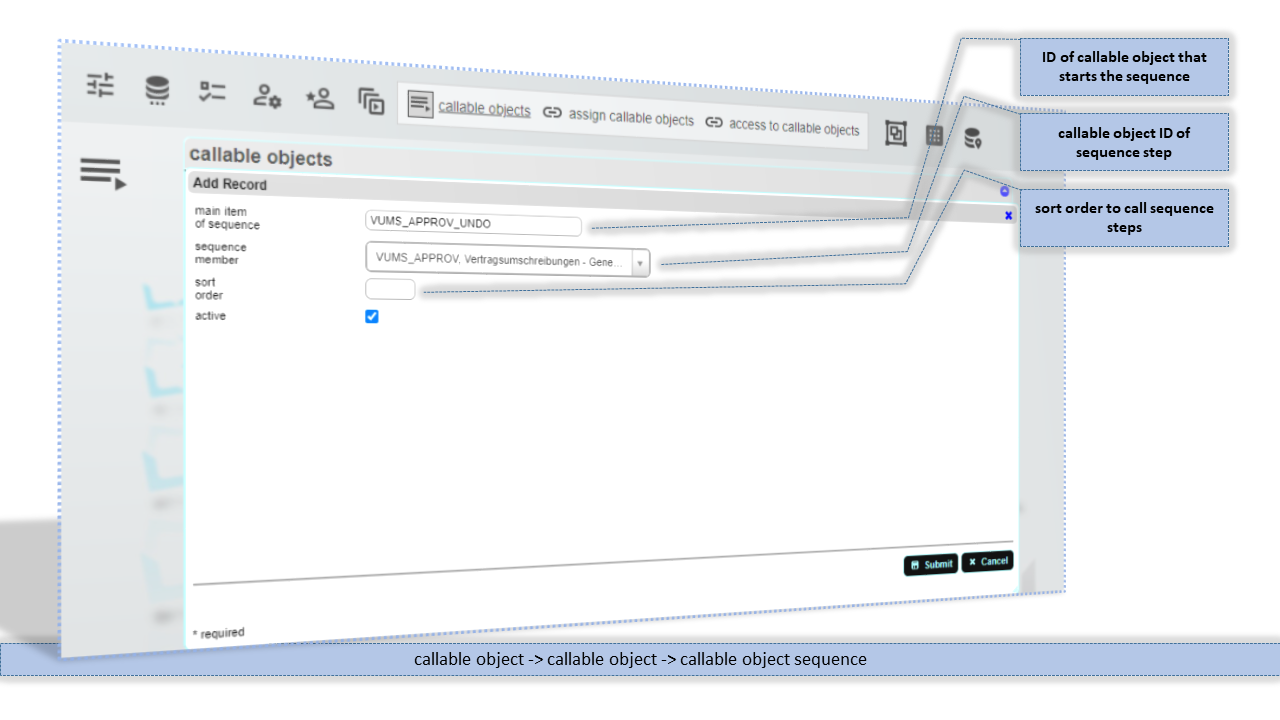
main item of sequence
ID of callalbe object by which this sequence of executions is initiated.
sequence member
ID of an existing callable object configuration entry, that is member of the sequence.
sort order
Sort order to control the order of executions within a sequence.
niota-docs/niota_grid_config_callable.1641660141.txt.gz · Last modified: 2025/07/17 14:11 (external edit)