
User Tools
Sidebar
niota-docs:niota_grid_config_catalog
This is an old revision of the document!
Table of Contents
configure table or view to be managed
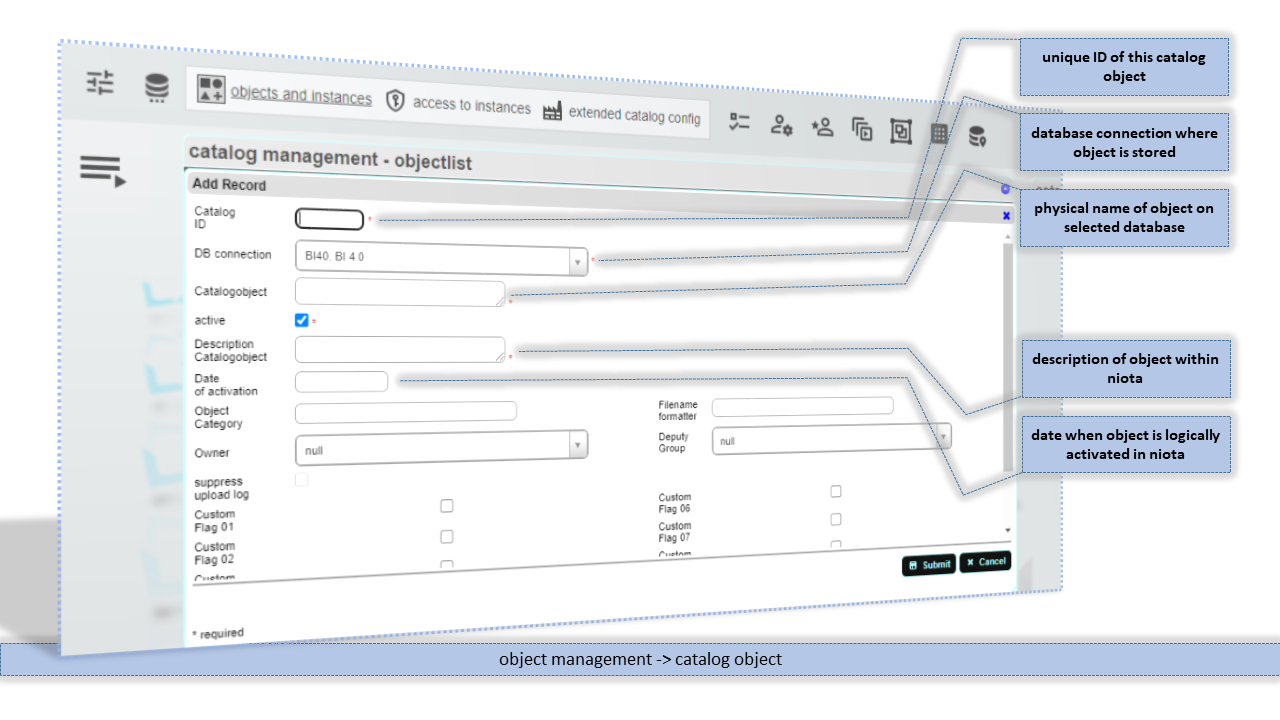
Any table or view that should be managed by niota must be configured as a so called catalog object. Every catalog object has a unique ID by which this object is referenced later on. See below how to create a catalog object.
- add/edit a record / enter valid values for fields listed below
Catalog ID
Unique ID for this catalog object. The catalog object ID for customer objects must be positive integer numbers. Negative integer numbers are reserved for system catalog object.
DB connection
Database connection where object is stored. Via this connection access to the database object is established.
Catalogobject
Physical name of the object on its original source database.
Description Catalogobject
Short description of the object.
Date of activation
Date when object is logically activated in niota. Activation date is optional and not parsed or used anywhere.
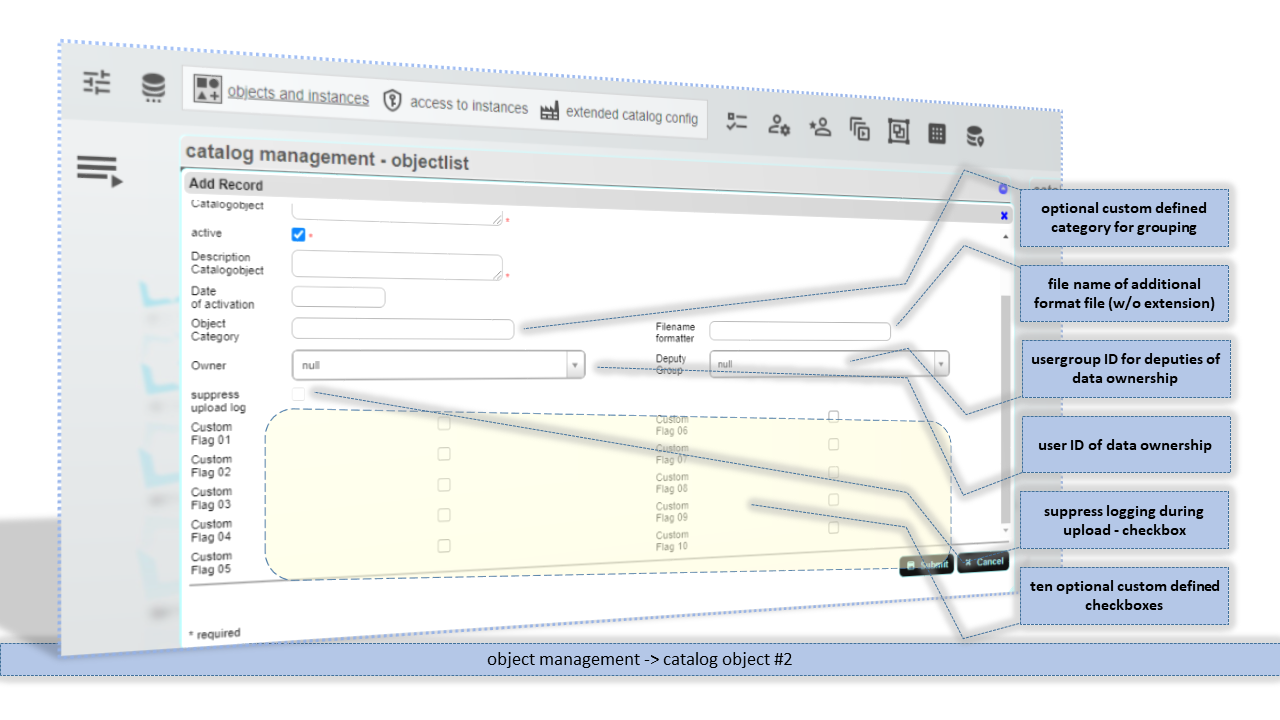
Object Category
Optional custom defined category to group catalog object by your needs. On grid edit page catalog object can be filtered by object category by default.
Filename formatter
Owner
Deputy Group
suppress upload log
Custom Flags
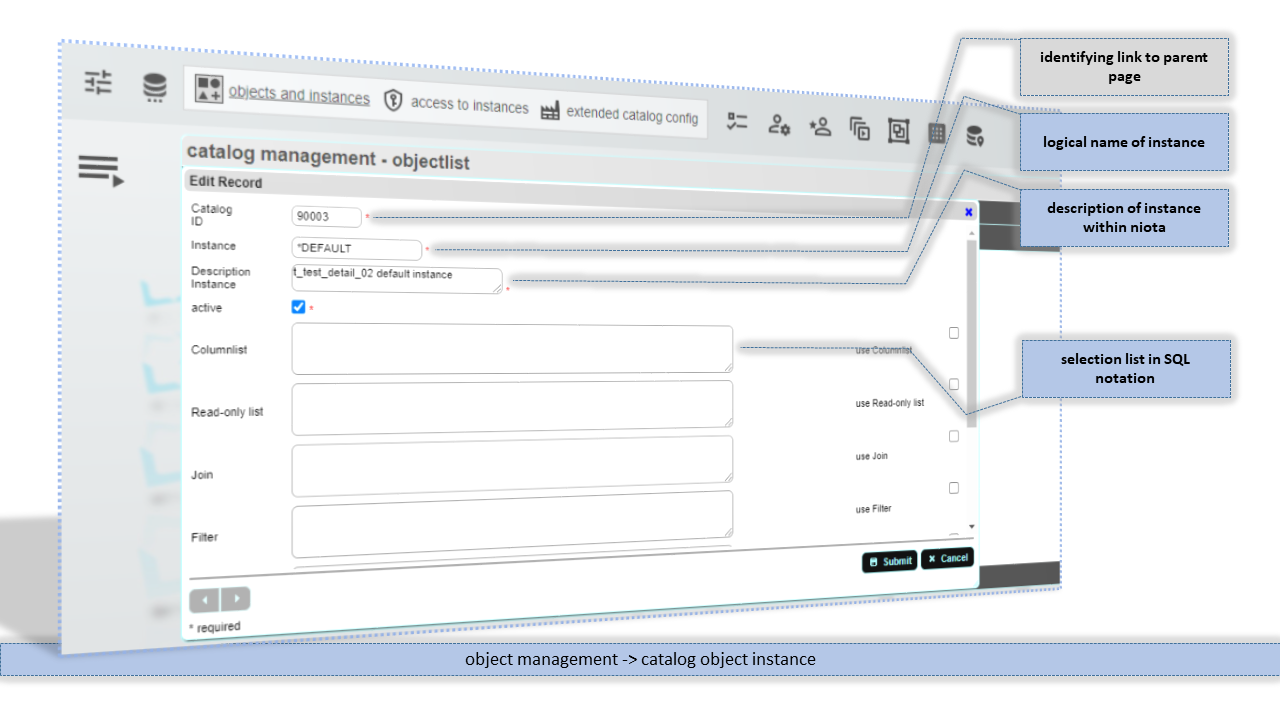
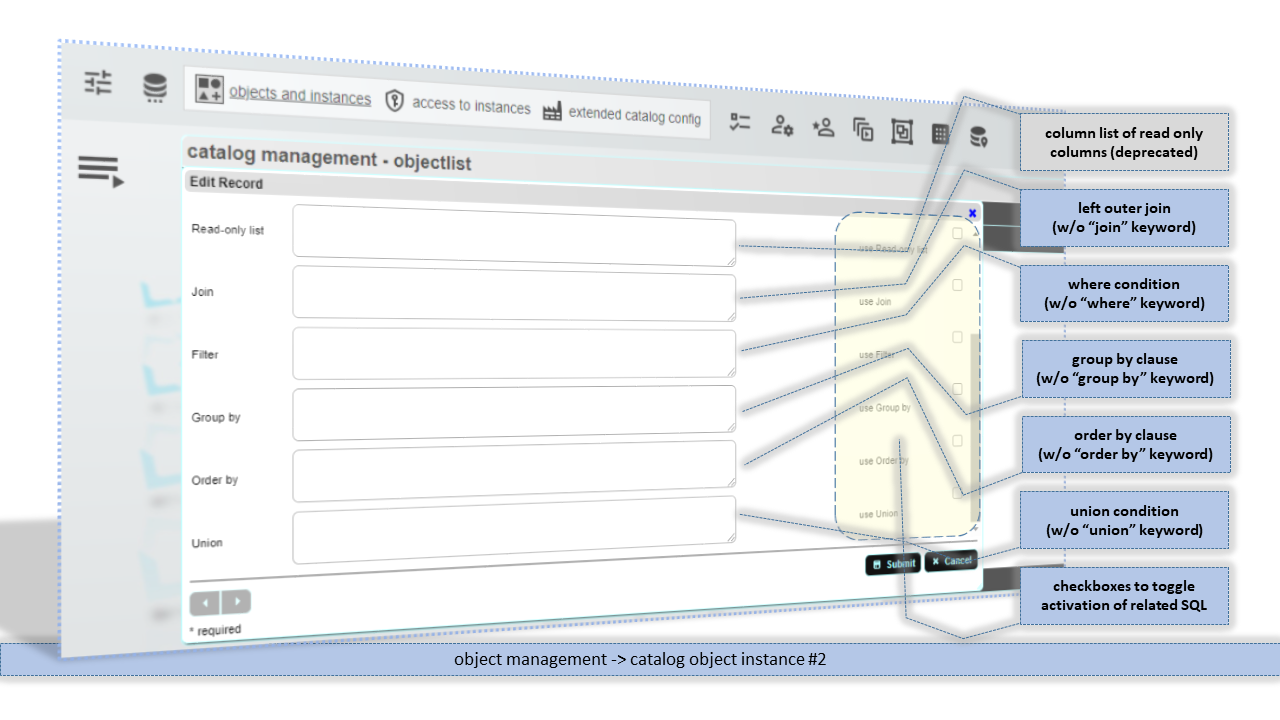
instance of an object
niota-docs/niota_grid_config_catalog.1639932766.txt.gz · Last modified: 2025/07/17 14:11 (external edit)