
User Tools
Sidebar
niota-docs:niota_grid_config_master_detail
This is an old revision of the document!
Table of Contents
configure master detail
With this feature you can configure a master-detail relationship between up to four tables. One table is the master table, up to three tables may be assigned to detail tables of the same level. Master table and all assigned detail tables are displayed together in the grid area. The detail tables are filtered by the values of the selected row of the master table.
- add/edit a record → enter valid values for fields listed below
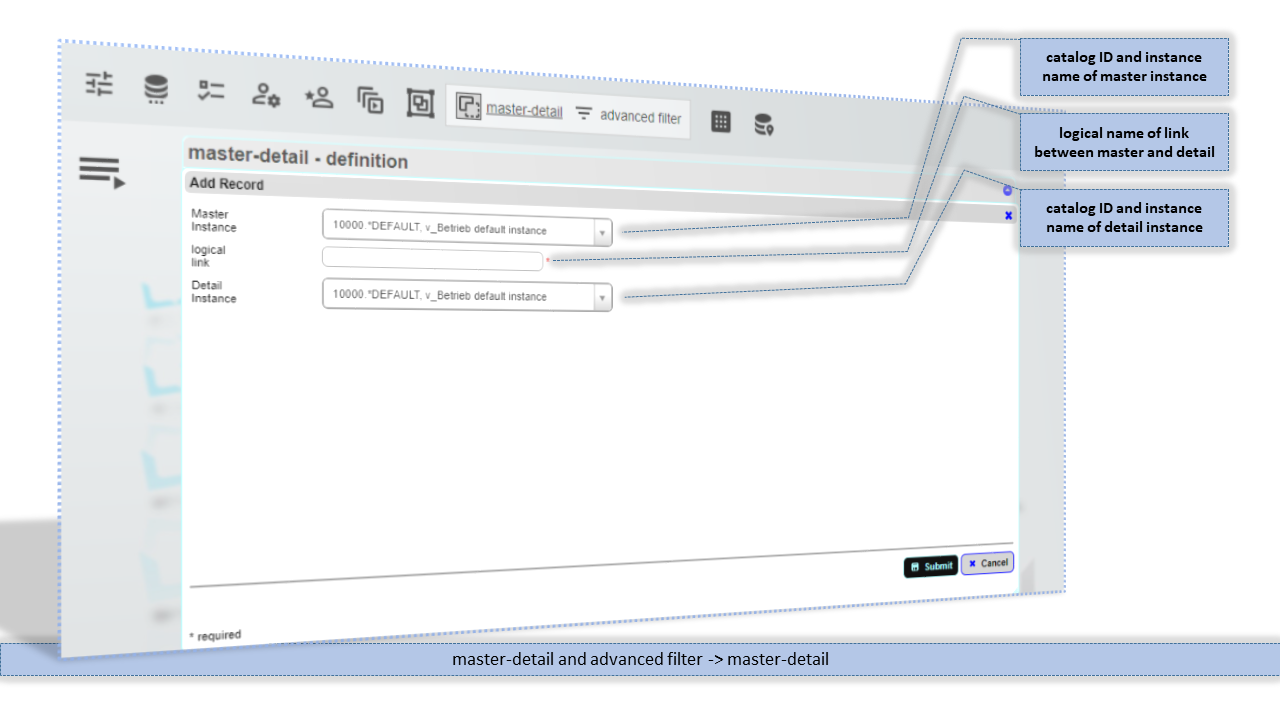
Master Instance
Instance (catalog ID + instance name) of the master catalog object.
logical link
ID for the link between the master object and the detail object. You may choose a user friendly name for this, but do not use whitespace characters in the name.
Detail Instance
Instance (catalog ID + instance name) of the detail catalog object.
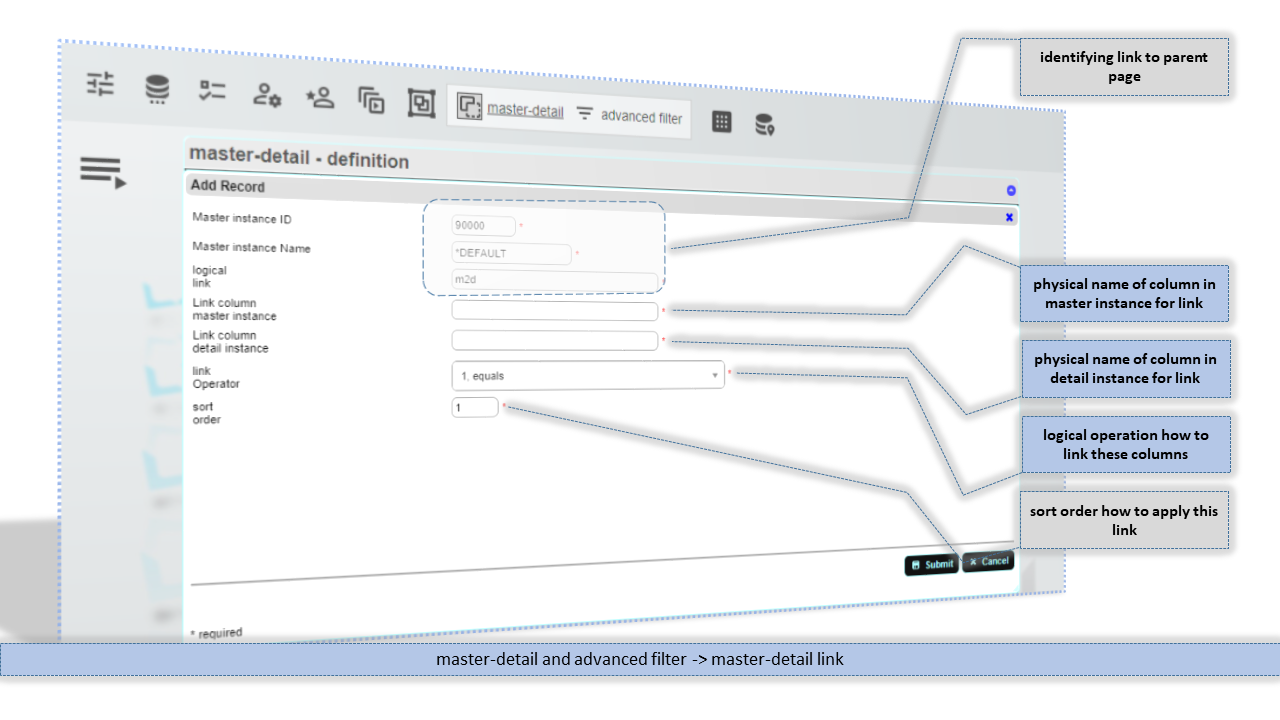
Link column master instance
Physical column name from master instance that is used to link between master catalog object and detail catalog object. You can use multiple linking columns.
Link column detail instance
Physical column name from detail instance that is used to link between master catalog object and detail catalog object. You can use multiple linking columns. Also in case the column name in master catalog object and detail catalog object is the same you have to specify both.
link Operator
Logical operation how to link the linking columns.
sort order
Order to apply the link.
niota-docs/niota_grid_config_master_detail.1641661731.txt.gz · Last modified: 2025/07/17 14:11 (external edit)