
User Tools
Sidebar
niota-docs:niota_grid_config_transaction
This is an old revision of the document!
Table of Contents
configure transaction
With this feature you can configure a simple grid edit feature or a advanced filter or a callable object to appear as a business transaction to the user. By this you can organize your tasks and dipslay the user a hierarchical menu by which he can access / execute the menue items.
- add/edit a record → enter valid values for fields listed below
Transaction defintion
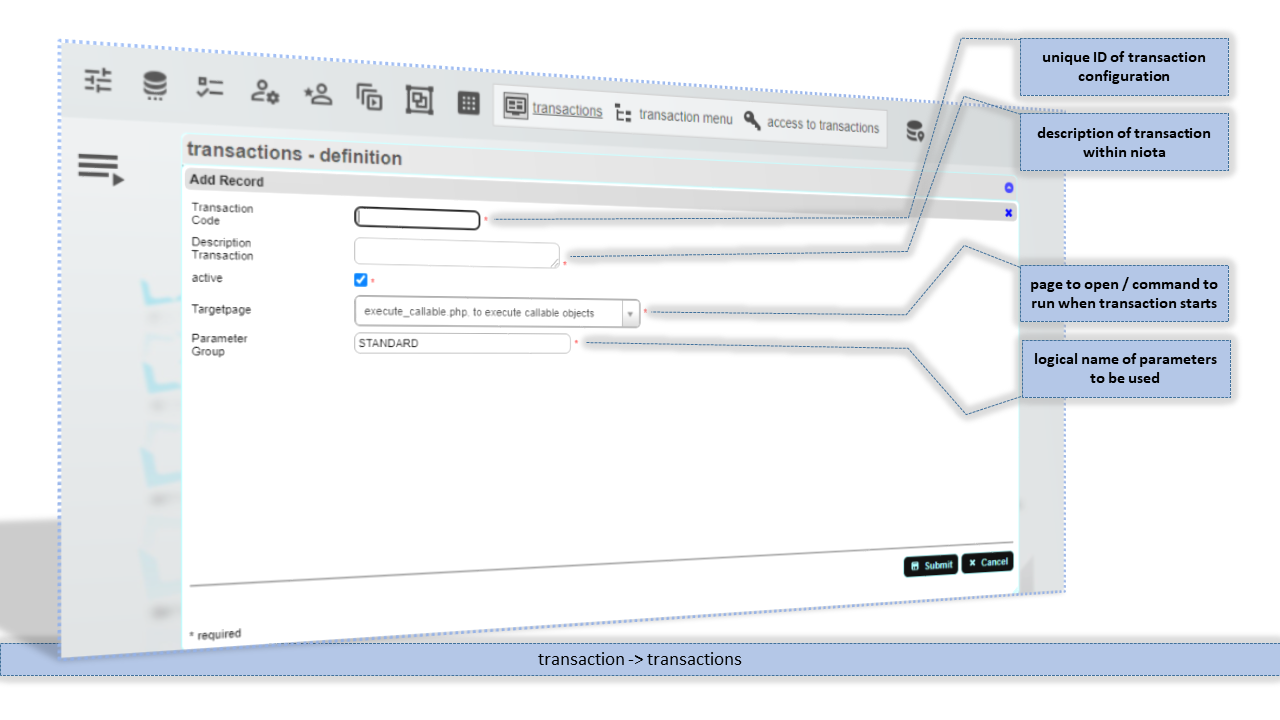
Transaction Code
Unique ID of this transaction configuration entry.
Description Transaction
Description of this transaction configuration entry.
Targetpage
Application page within niota that is called to run this transaction.
Parameter Group
Logical name to group several parameters/settings that defines this transaction.
Transaction parameters
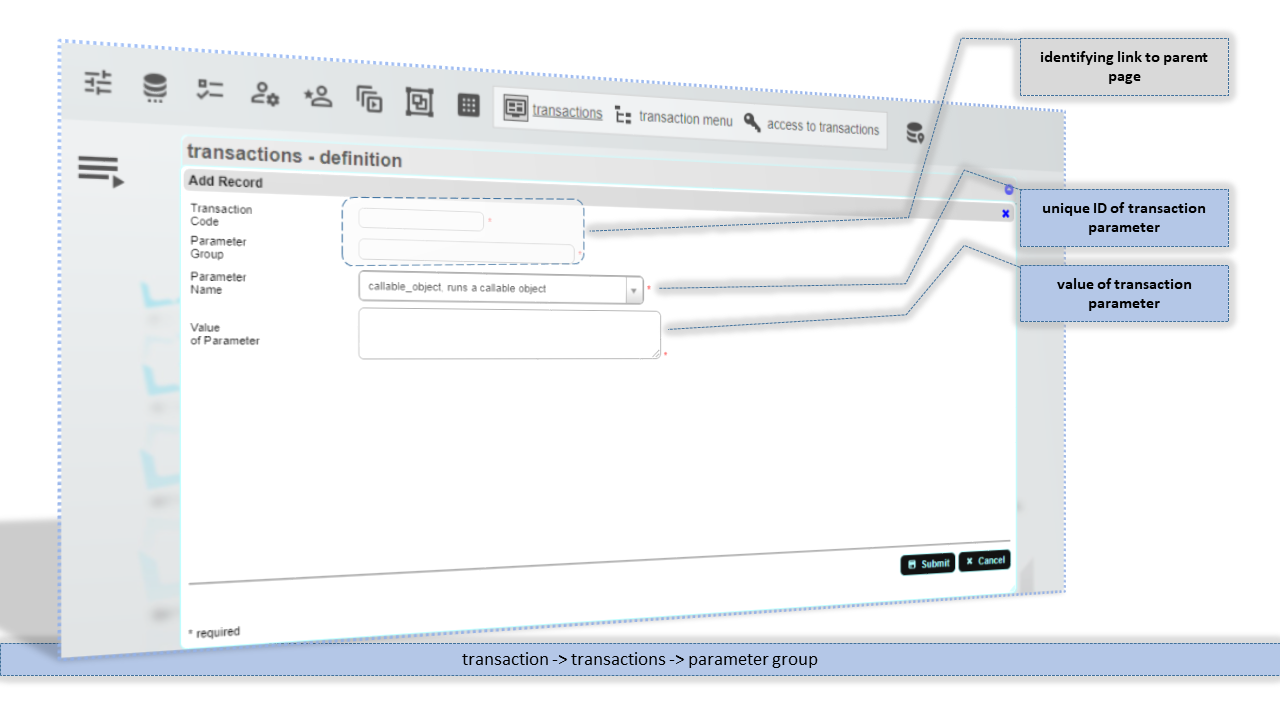
Parameter Name
Name for this transaction parameter. Use drop-down list to select a valid parameter name.
Value of Parameter
Value for this transaction parameter. Take care to use the proper type and syntax for the parameter value. The syntax of the parameter value must fit the name/type of the parameter.
niota-docs/niota_grid_config_transaction.1641664140.txt.gz · Last modified: 2025/07/17 14:11 (external edit)